What is Automated Employee Support?
Automated Employee Support is the use of intelligent technology—such as [Agentic AI], chatbots, and workflow automation—to resolve internal employee inquiries and service requests without the need for human intervention.
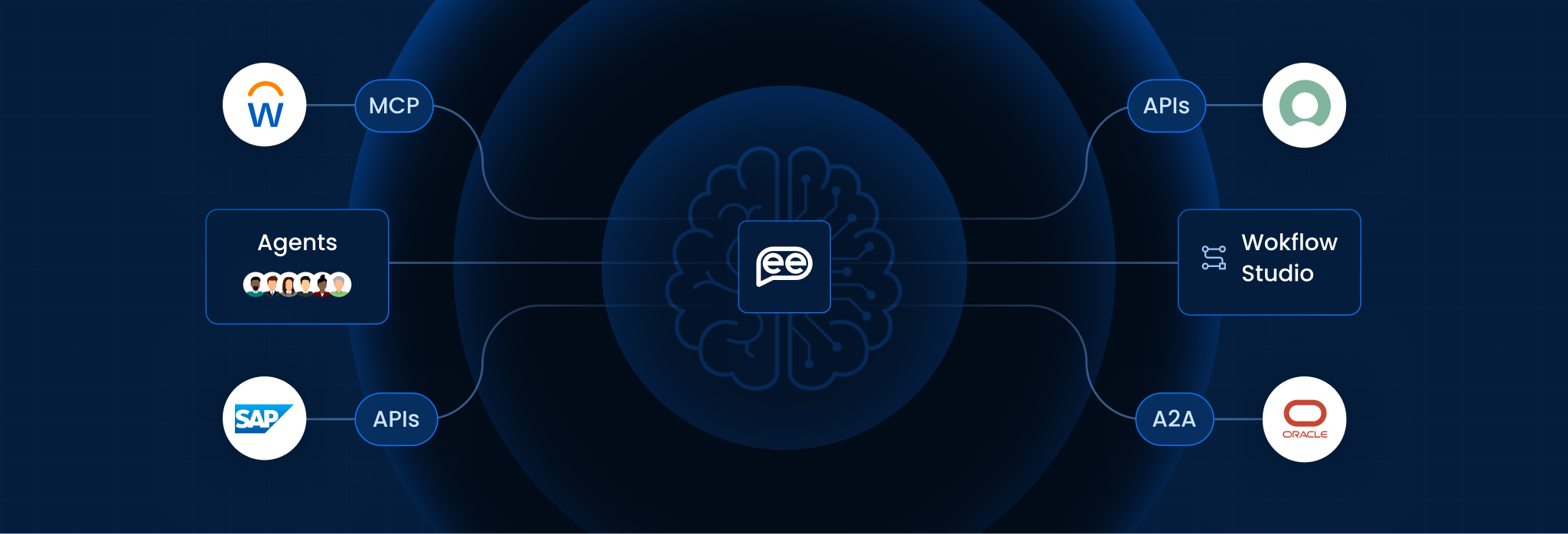
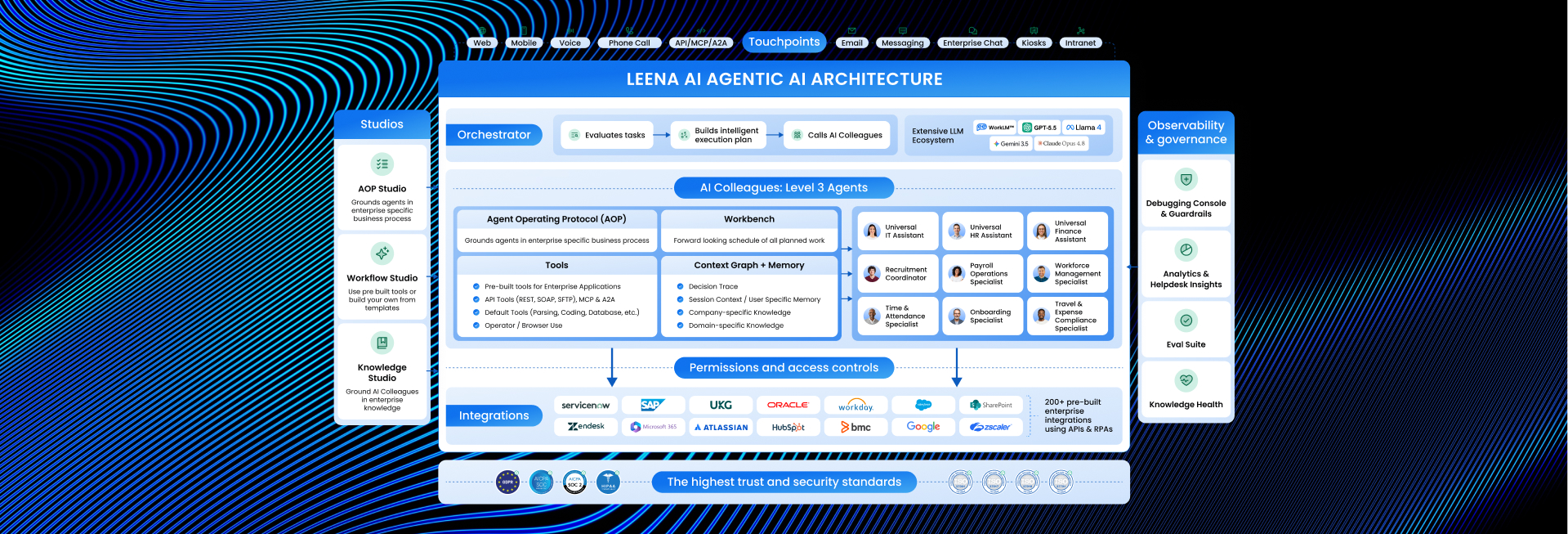
Unlike a traditional service desk, which acts as a “waiting room” where employees file tickets and wait for an agent, Automated Employee Support acts as an “always-on concierge.” It connects directly to enterprise systems (like HRIS, ITSM, and Identity Providers) to execute tasks instantly, shifting the focus from managing tickets to eliminating them.
Simple Definition:
- Traditional Support: Like a Bank Teller. You wait in line during business hours. When you finally reach the front, they manually process your request.
- Automated Employee Support: Like an ATM. It is available 24/7, there is no line, and it completes your transaction instantly—whether it’s checking a balance or withdrawing cash.
Key Features
To effectively replace manual support tiers, the system must offer more than just “FAQ answers.” It requires:
- Tier-0 Resolution: The ability to fully resolve complex requests (e.g., “Grant me VPN access”) by triggering backend APIs, not just pointing to a help article.
- Omnichannel Presence: It lives where the employee works—embedded directly inside [Slack], Microsoft Teams, or the Intranet—so users never have to log into a separate portal.
- Contextual Awareness: It knows the user’s role, location, and history. (e.g., If a remote worker asks for “Holiday Policy,” it automatically shows the policy for their specific country).
- Proactive Nudges: It doesn’t just wait for questions; it anticipates needs. (e.g., Reminding a manager: “Your new hire starts tomorrow. Click here to set up their email.”)
- Seamless Hand-off: When a problem is too complex for AI, it routes the chat to a human agent with a full transcript, so the user doesn’t have to repeat themselves.
Traditional Support vs. Automated Support (Scenario Matrix)
This table compares how each model handles common workplace friction points.
| The Scenario | Traditional Support (Human-Centric) | Automated Employee Support (AI-Centric) |
| Password Reset at 2:00 AM | Fails: Employee waits until 9:00 AM for IT to open, losing hours of productivity. | Solves: AI verifies identity via MFA and resets the password instantly at 2:01 AM. |
| Complex Policy Question | Delays: HR rep has to manually look up the policy PDF and email it back 4 hours later. | Educates: AI reads the specific handbook page and summarizes the answer immediately. |
| Status Update (“Where is my laptop?”) | Frustrates: Employee emails the helpdesk. Agent reads email, checks tracking, and replies. | Informs: AI pulls real-time tracking data from the vendor API and updates the user in chat. |
| Onboarding New Hires | Manual: HR manually copies data into 5 different systems (Payroll, IT, Security). | Orchestrates: AI triggers a workflow that provisions all accounts simultaneously in seconds. |
How It Works (The “Request-to-Resolution” Loop)
Automated Employee Support operates in a continuous automation cycle:
- Ingest (Listen): The system captures a request from a chat app, email, or voice command.
- Authenticate (Verify): It checks [Active Directory] to confirm who the user is and what permissions they have.
- Understand (Intent): Using [Natural Language Processing], it determines the user wants to do something (Action), not just know something (Information).
- Execute (Act): It uses an [API Integration] to perform the task in the backend system (e.g., Workday or ServiceNow).
- Confirm (Close): It notifies the user the task is done and asks for satisfaction feedback.
Benefits for Enterprise
According to strategic research from Gartner and Forrester, automating internal support is a top priority for CIOs in 2026 to drive:
- Cost Deflection: Moving 60% of volume to automation reduces the “Cost Per Ticket” from ~$25 to <$1.
- Employee Experience (EX): Modern workers expect the same instant gratification at work that they get from consumer apps like Uber or Amazon.
- Operational Resilience: Support capacity is no longer limited by headcount. The system handles 1,000 requests as easily as it handles 10.
Frequently Asked Questions
Does this eliminate the need for HR and IT staff?
No. It eliminates the “Busy Work” (Tier-1 support). This frees up HR and IT professionals to focus on high-value tasks like Employee Relations, System Architecture, and complex troubleshooting that requires human empathy.
Is it difficult to integrate with legacy tools?
Not anymore. Modern platforms use “Pre-built Connectors” for common tools (Salesforce, ADP, Jira). For older legacy systems, they can use [RPA Bots] to bridge the gap without complex coding.
What if the AI doesn't know the answer?
It uses a “Confidence Threshold.” If the AI is not 90%+ sure, it automatically creates a ticket and routes the query to a human expert. It never guesses.
Can it handle sensitive HR data?
Yes. Enterprise-grade platforms are SOC2 and GDPR compliant. They use Role-Based Access Control (RBAC) to ensure that an intern cannot ask the AI for payroll data, even if the AI has access to it..
How long does it take to deploy?
A basic deployment (FAQs and simple actions) can go live in 4-6 weeks. Full enterprise maturity (deep integrations across 5+ systems) typically takes 3-6 months.
Does it support multiple languages?
Yes. Leading platforms support 100+ languages natively. A user can ask a question in Spanish, and the system will query the English database and reply in Spanish, breaking down global communication barriers.
Want To Know More?
Book a Demo