What is Automated Request Fulfillment?
Automated Request Fulfillment is the process of using technology to manage and execute the entire lifecycle of a service request from submission to approval to delivery without human manual intervention.
Unlike [Incident Management] (which fixes things that are broken), Request Fulfillment handles standard requests for new services (e.g., “I need a new laptop” or “Grant me access to Salesforce”). It connects the user’s request directly to backend systems via APIs to deliver the service instantly.
Simple Definition:
- Manual Fulfillment: Like ordering from a catalog by mail. You fill out a form, mail it, someone checks the stock, approves it, and eventually ships it to you.
- Automated Fulfillment: Like a vending machine. You select the item, the machine verifies you have credit, and it dispenses the product immediately.
Key Features
To truly automate the process (and not just log it), the system must have these five core capabilities:
- Unified Service Catalog: A central “Amazon-like” portal where users can browse, select, and request approved services (software, hardware, access rights).
- Logic-Based Approval: It automatically routes approvals based on rules (e.g., “If cost < $50, auto-approve; if > $50, ask Manager”).
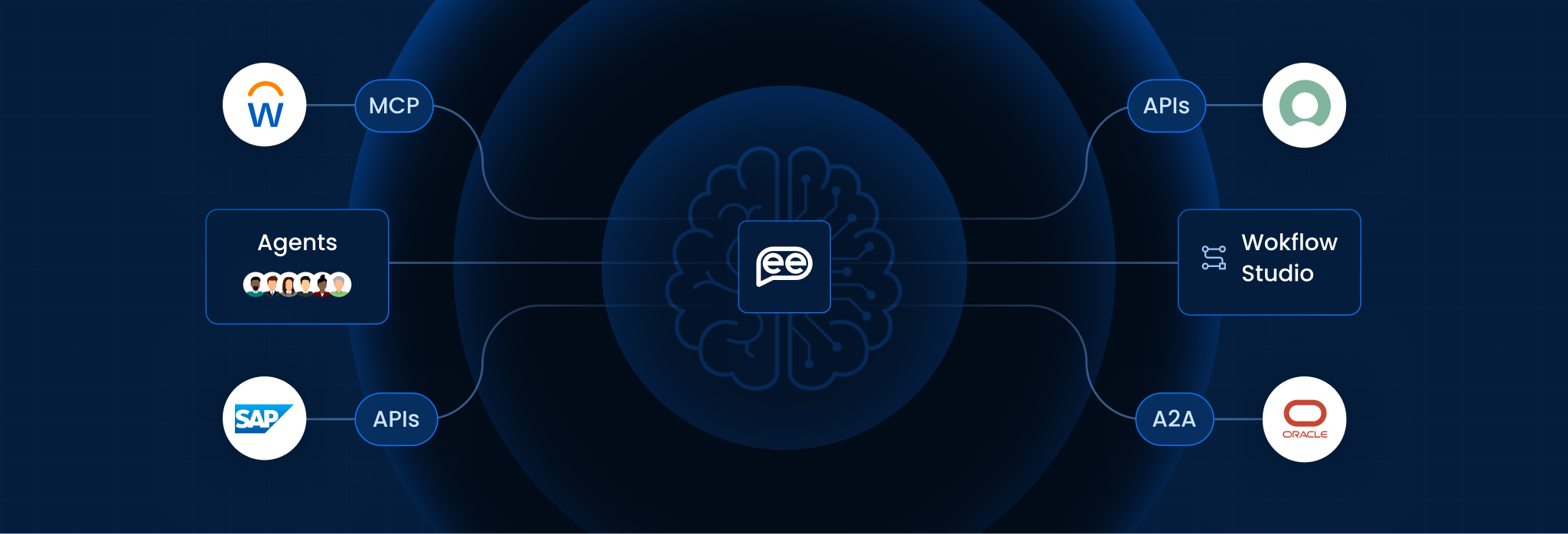
- Zero-Touch Provisioning: It uses API Integrations to actually do the work creating the user account or installing the software without an IT admin clicking buttons.
- Asset Tracking Integration: It automatically updates the inventory database (CMDB) when a device is assigned, ensuring records are always accurate.
- Status Visibility: It provides real-time tracking (like a pizza tracker) so the user knows exactly where their request is in the process.
Manual vs. Automated Fulfillment
This table compares how standard service requests are handled in traditional vs. modern IT environments.
| The Scenario | Manual Fulfillment (Human-Centric) | Automated Fulfillment (AI-Centric) |
| Software Access (e.g., Adobe) | Fails: User waits days. Admin manually checks license count, emails manager for approval, then adds user to group. | Solves: System checks license availability, auto-approves based on role, and provisions access in seconds. |
| New Employee Onboarding | Delays: HR emails IT. IT manually creates accounts for Email, Slack, and Zoom one by one. | Orchestrates: HR triggers a workflow that creates all 5 accounts simultaneously and emails credentials to the manager. |
| Cloud Server Provisioning | Bottleneck: Developer files ticket. Ops team waits for approval, then manually spins up the VM. | Accelerates: Developer requests VM. Policy engine checks budget. Script automatically spins up the server. |
| Hardware Ordering | Messy: User emails “I need a mouse.” Admin asks “Which one?” and manually places order with vendor. | Streamlines: User selects specific model from catalog. System sends Purchase Order to vendor automatically. |
How It Works (The Fulfillment Loop)
Automated Fulfillment follows a strict sequential flow to ensure security and accuracy:
- Submission: The user selects a service (e.g., “Request Visual Studio”) from the [Service Portal].
- Validation: The system checks the user’s eligibility. (e.g., “Does a Marketing Intern need Visual Studio? No.” -> Auto-Reject).
- Approval: If eligible, it routes a request to the budget holder. If pre-approved (like a password reset), it skips this step.
- Execution: The [Orchestration Engine] triggers the API to grant the license or install the software.
- Closure: The system closes the ticket and surveys the user.
Benefits for Enterprise
According to Gartner and Forrester research, automating request fulfillment is a critical component of the “Modern Digital Workplace” in 2026:
- Speed to Value: Employees get the tools they need to do their jobs in minutes, not days, recovering thousands of hours of lost productivity.
- Compliance & Security: Every access grant is logged and policy-checked. No more “favor-based” access granting by friendly IT admins.
- Standardization: It prevents “Shadow IT” by giving users an easy, sanctioned way to get software, reducing the risk of them buying unapproved tools.
Frequently Asked Questions
What is the difference between an Incident and a Request?
An Incident is when something is broken (e.g., “My email isn’t working”). A Request is when you want something new (e.g., “I want a new email alias”). Automation handles Requests much more easily than Incidents
Can it handle physical items like laptops?
Yes. While it can’t “print” a laptop, it automates the logistics. It sends the order to the warehouse, updates the asset tag, generates the shipping label, and notifies the user of the tracking number.
Does it require manager approval for everything?
No. Best practice is to set “Pre-Approved” thresholds (e.g., “Anything under $20 is auto-approved”). This reduces “approval fatigue” for managers.
Is it difficult to build the Service Catalog?
It takes initial effort to define the items. However, once built, it reduces ticket volume significantly. You start with the top 10 most requested items (Password Reset, Software Access, New Hardware)
How does it integrate with vendors?
Modern platforms support “B2B Integrations.” When a user requests a specific monitor, the system can send an API call directly to the supplier (like CDW or Dell) to place the order.
Is this only for IT?
No. HR uses it for verification letters. Facilities uses it for desk moves. Legal uses it for contract reviews. It becomes the “One-Stop Shop” for all company services.
Want To Know More?
Book a Demo