What is Business Process Automation?
Business Process Automation (BPA) is the use of technology to execute recurring tasks or processes in a business where manual effort can be replaced. It is designed to route information, tasks, and documents between people and systems based on defined business rules.
Unlike simple task automation (which might just copy a file), BPA focuses on the end-to-end workflow. It manages the entire lifecycle of a complex process—such as Employee Onboarding or Claims Processing—connecting different departments and software into a seamless, automated chain.
Simple Definition:
- Manual Process: Like a relay race where runners have to stop, find the next person, and hand off the baton. If one person is missing, the race stops.
- Business Process Automation: Like a conveyor belt. The baton moves automatically to the next station. If a station is busy, it waits in a queue or reroutes, but the movement never stops.
Key Features
To manage enterprise complexity, a BPA platform must utilize these five core capabilities:
- Visual Workflow Builder: A drag-and-drop interface that allows business users to map out processes (e.g., “If approved, send email; if rejected, notify manager”) without writing code.
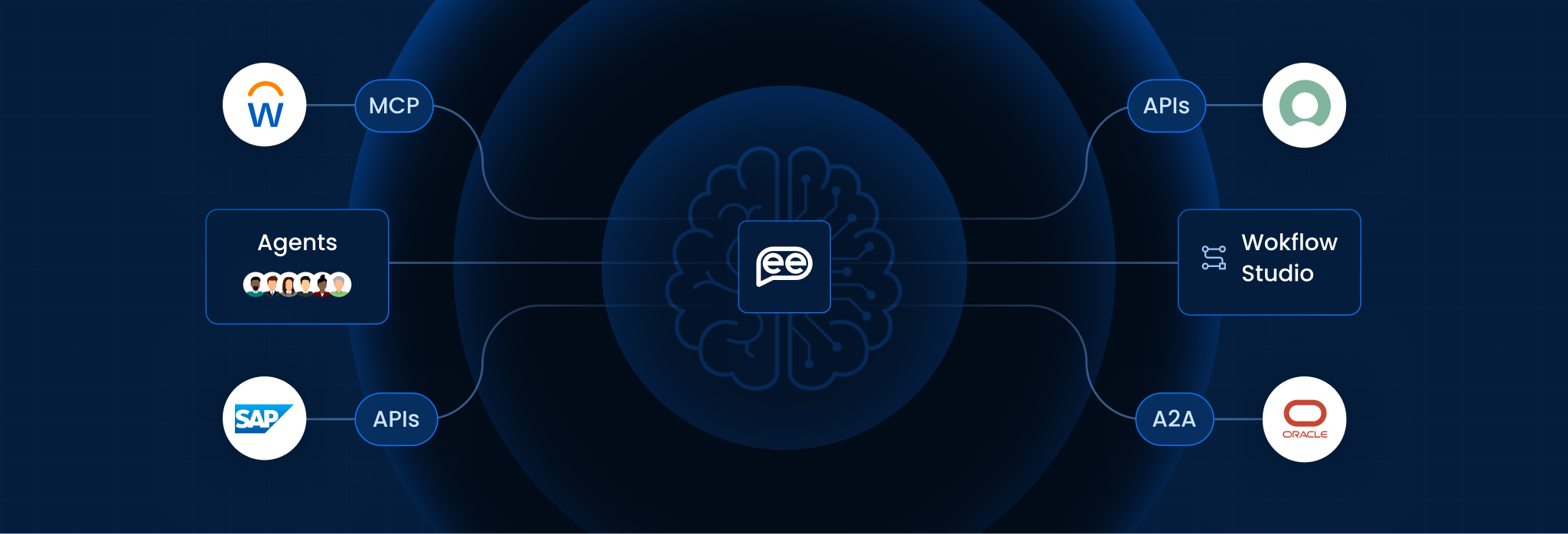
- System Integration: It acts as the glue between disconnected apps, pulling data from the CRM, pushing it to the ERP, and updating the HR system simultaneously.
- Role-Based Routing: It intelligently assigns tasks to specific job titles (e.g., “Send to CFO”) rather than specific people, ensuring the process continues even if an individual leaves.
- Audit Trails: It records every single action—who approved it, when, and how long it took—providing 100% visibility for compliance.
- Mobile Accessibility: It allows stakeholders to review and approve requests from their phones, preventing bottlenecks when managers are traveling.
Manual vs. Automated Process (Scenario Matrix)
This table compares how complex workflows flow in manual vs. automated environments.
| The Scenario | Manual Process (Human-Centric) | Automated Process (BPA-Centric) |
| Expense Approval | Stalls: Paper receipts sit on a manager’s desk for weeks. Finance has to chase them down. | Flows: System alerts manager. If no action in 24 hours, it auto-escalates to the Director. |
| Client Onboarding | Fragmented: Sales emails Legal for a contract. Legal emails Finance for credit checks. Data is lost in threads. | Unified: Sales clicks “Onboard.” System triggers parallel tasks for Legal and Finance instantly. |
| Data Entry Errors | High Risk: Employee manually re-types data from a PDF into Excel, making typos. | Accurate: System extracts data directly from the source and populates the database with 100% accuracy. |
| Audit Compliance | Difficult: Auditors ask “Who approved this?” Staff spends days digging through old emails. | Instant: Admin clicks “Export Log” and shows the exact timestamp and user ID of the approval. |
How It Works (The Automation Lifecycle)
BPA operates in a structured four-stage cycle:
- Trigger: The process starts via a specific event—a web form submission, a scheduled time (e.g., “First of the month”), or a database change.
- Process Logic: The system evaluates the rules. (e.g., “Is the loan amount over $10k?”).
- Action/Routing:
- If Yes: Route to Senior Manager for approval.
- If No: Auto-approve and generate the document.
- Integration: The final data is pushed to the system of record (ERP/CRM) and the process concludes.
Benefits for Enterprise
Strategic analysis from Gartner and Forrester confirms that BPA is a foundational requirement for digital transformation in 2026:
- Operational Efficiency: It removes the “wait time” between steps. Processes that took weeks are reduced to days or hours.
- Cost Reduction: It minimizes the need for administrative staff to perform low-value data shuffling, allowing resources to be reallocated to growth.
- Standardization: It forces the organization to define its processes. You cannot automate a mess; implementing BPA forces you to clean up and standardize operations first.
Frequently Asked Questions
Is BPA the same as BPM (Business Process Management)?
They are related. BPM is the discipline/methodology of managing processes. BPA is the technology/tool used to execute that methodology.
Does it require coding skills?
Modern BPA platforms are “Low-Code” or “No-Code.” Business analysts can build 90% of the workflows using visual tools, with IT only needed for complex integrations.
What processes should we automate first?
Start with processes that are high-volume, rule-based, and error-prone. Common starting points are Employee Onboarding, Expense Approvals, and Leave Requests.
How often should we benchmark?
For volatile metrics (like digital customer experience), it should be continuous/real-time. For structural metrics (like supply chain costs), an annual review is typically sufficient.
Can it handle exceptions?
Yes. Enterprise BPA tools encrypt data in transit and at rest. They also enforce strict access controls, ensuring only authorized users can see sensitive data in the workflow.
How do we measure success?
Common KPIs include “Cycle Time” (how long the process takes), “Error Rate” (how often it fails), and “Cost Savings” (hours saved x hourly wage).
Want To Know More?
Book a Demo