What is an AI Plugin?
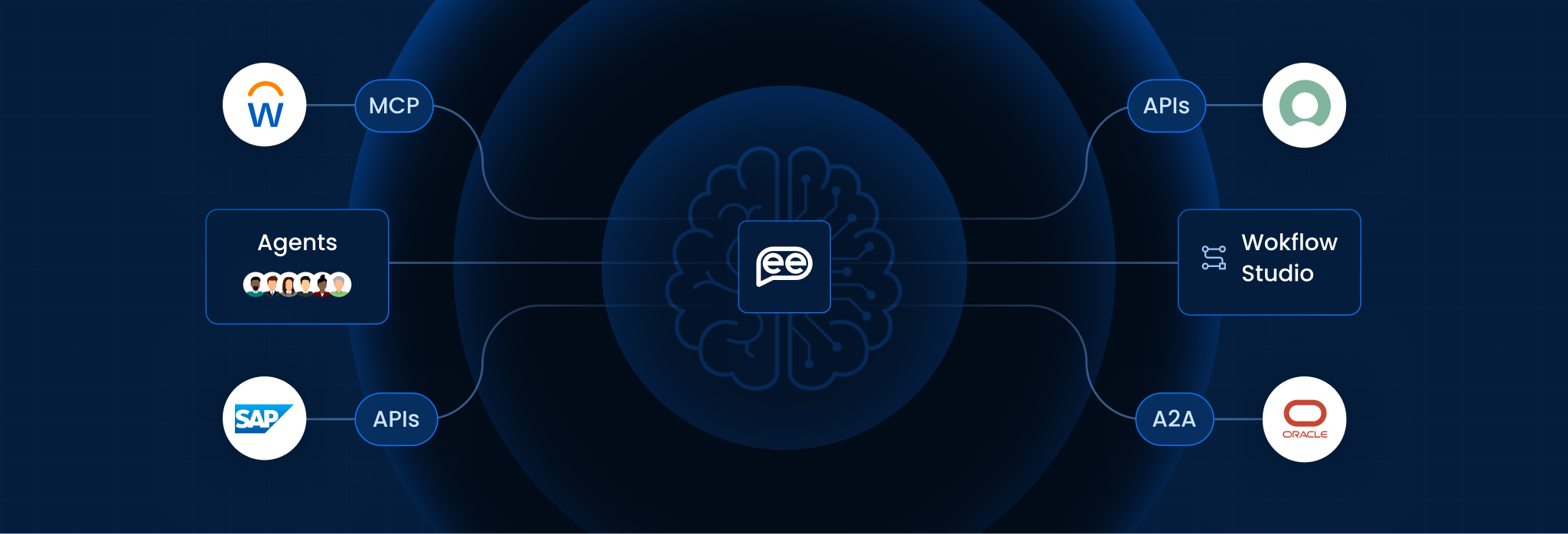
An AI Plugin is a modular software extension that enables a Large Language Model (LLM) or AI agent to interact with external data sources, third-party software, and real-time web services. While a base AI model is “frozen in time” (limited to the data it was trained on), a plugin acts as a bridge, allowing the AI to “step out” of its training set to perform live actions such as booking a flight, searching current stock prices, or editing a file in your Dropbox.
In 2026, the industry has shifted from simple “Chat Plugins” to Agentic Connectors. These are standardized interfaces (often following the OpenAPI specification) that allow an AI to read the “instructions” of another app and use its features autonomously without a human having to write custom code for every integration.
Simple Definition:
- Standard AI Model: Like a Genius in a Bunker. They have read every book in the world and can answer any question, but they have no phone, no internet, and no way to help you buy a pizza.
- AI Plugin: Like giving that genius a Smartphone. Now, they can look up the weather, check your calendar, and order that pizza for you. The plugin provides the connection to the outside world.
Key Features
To transform a model from a “Thinker” into a “Doer,” an AI plugin relies on these five technical pillars:
- API Endpoints: The specific “doors” through which the AI sends and receives data from the external service (e.g., the Expedia API).
- Manifest File (ai-plugin.json): A metadata file that tells the AI what the plugin does, how to use it, and what safety rules to follow.
- Natural Language Mapping: The ability for the AI to understand that a user’s request (“Find me a hotel”) should trigger a specific technical command (GET /search/hotels).
- OAuth & Authentication: Secure protocols that ensure the AI only accesses the user’s private data (like email or bank info) with explicit permission.
- Dynamic Response Handling: The capacity to take raw data returned by a tool (like a messy JSON file) and summarize it into a human-friendly answer.
AI Tools vs. AI Plugins
This table helps distinguish between standalone AI software and modular extensions.
|
Feature |
Standalone AI Tool (e.g., Perplexity) |
AI Plugin (The Extension) |
|
Hosting |
Centralized: The AI and the interface are owned by the same company. |
Modular: A third-party app (Zapier, Canva) creates a “hook” into a model. |
|
Workflow |
Context Switch: You must leave your work and go to that specific app. |
Native: You use the tool’s features inside your chat or workspace. |
|
Architecture |
Full Stack: Includes the UI, the Model, and the Database. |
API-Only: Often has no UI; it is just a set of instructions for the AI. |
|
Maintenance |
Heavy: Requires the owner to maintain the entire software. |
Light: The owner just maintains the API; the AI handles the logic. |
|
Example |
A dedicated AI Writer website. |
A “Grammarly” plugin inside Google Docs or VS Code. |
4. How It Works (The Execution Loop)
The plugin transforms a “chat” into a “transactional” event:
- Discovery: The user asks: “What’s the cheapest flight to Tokyo tomorrow?”
- Selection: The AI scans its manifest files and identifies that the Kayak Plugin is the best tool for this job.
- Request: The AI formats a hidden API call: GET /flights?dest=HND&date=2026-02-10.
- Response: The Kayak server returns raw price data.
- Synthesis: The AI reads the raw data and replies: “I found a flight for $850 on ANA. Would you like me to book it?”
5. Benefits for Enterprise
Strategic analysis for 2026 confirms that plugins are the “glue” of the [Composable Enterprise]:
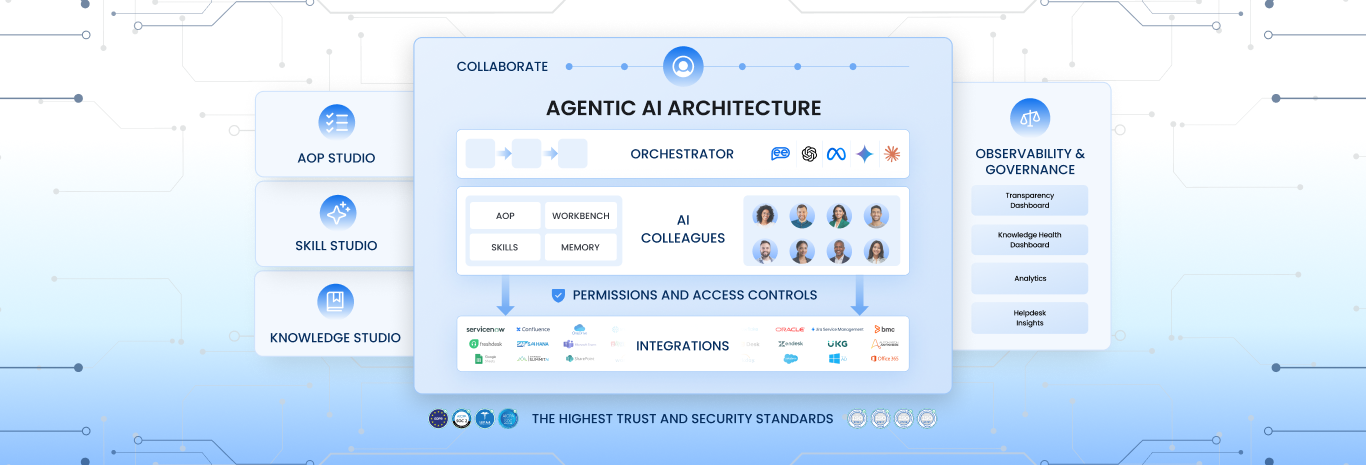
- Breaking Data Silos: Plugins allow an AI to “see” data across Salesforce, Jira, and Slack simultaneously, providing a unified view that was previously impossible.
- Reduced App Fatigue: Employees no longer need to toggle between 10 different browser tabs; they can perform their entire workflow from a single AI-powered command center.
- Security & Governance: Unlike “Browser Extensions,” Enterprise AI Plugins can be centrally managed by IT, ensuring data only flows through approved, encrypted tunnels.
Frequently Asked Questions
Is an AI Plugin the same as a Chrome Extension?
No. A Chrome Extension modifies your browser’s UI. An AI Plugin gives the AI model itself new “skills” or data access points, regardless of which browser you use.
Are plugins free?
The plugin itself is usually free to “install,” but you often need a paid subscription to the underlying service (e.g., a paid Zapier account) to use its advanced features.
What is the Plugin Store?
Most major AI platforms (OpenAI, Microsoft Copilot, Google Gemini) have a marketplace where users can browse and “Enable” plugins from third-party developers.
Can I build my own AI Plugin?
Yes. If your company has an internal database with an API, you can write a simple “Manifest File” to turn that database into a private AI Plugin for your employees.
Are plugins safe?
Plugins are generally safe because they use Sandboxing and OAuth. The AI can only “see” what the API allows it to see, and it cannot “take over” your accounts without permission.
What is the difference between a Plugin and a GPT?
In the OpenAI ecosystem, a Custom GPT is a “saved version” of the AI with specific instructions. A Plugin is a technical tool that the GPT can use to get its work done.
Want To Know More?
Book a Demo