What is Inter-System Orchestration?
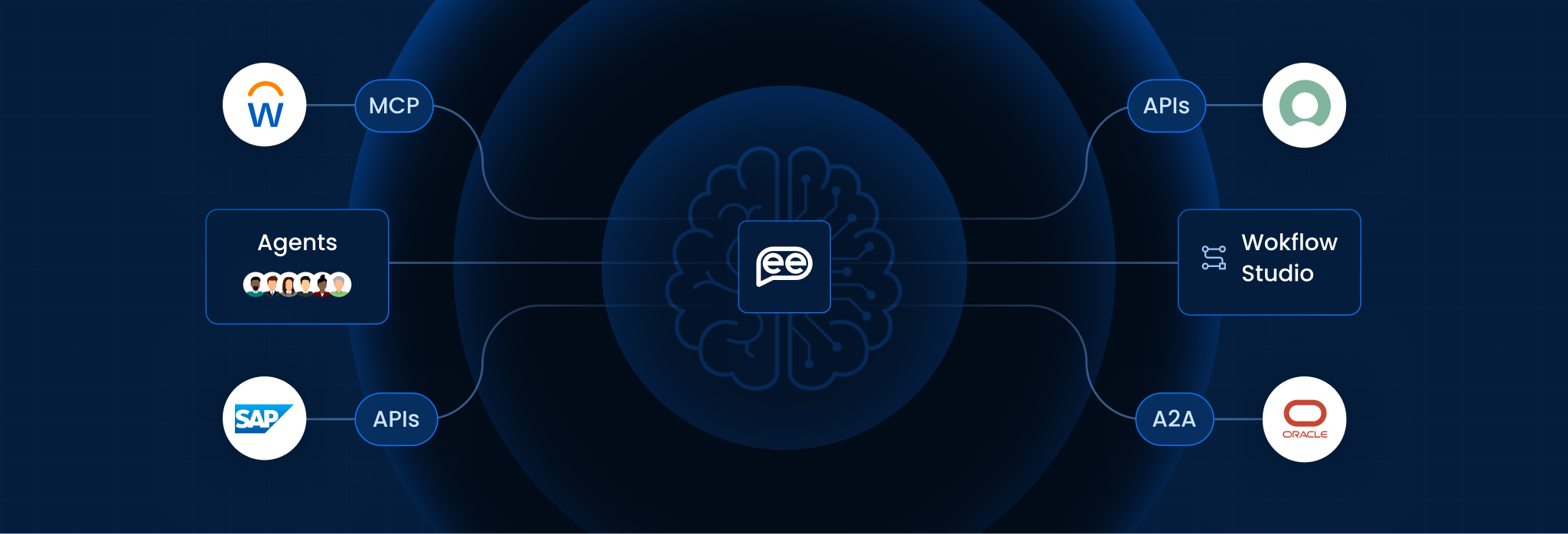
Inter-System Orchestration is the high-level coordination and management of automated workflows that span across multiple independent platforms, applications, and infrastructure environments. Unlike basic automation (which handles single tasks) or intra-system orchestration (which manages tasks within one app), Inter-System Orchestration acts as the “General Contractor” for the entire digital ecosystem.
It ensures that data and logic flow seamlessly between disparate systems such as an ERP (SAP), a CRM (Salesforce), a Cloud Provider (AWS), and an AI model triggering the right actions in the right sequence. It is the connective tissue required to transform “Isolated Automation” into “End-to-End Business Processes.”
Simple Definition:
- Automation: Like a Light Switch. You flip it, and the light comes on. It does one job perfectly.
- Intra-System Orchestration: Like a Smart Home App. It can dim the lights, lock the doors, and set the thermostat but only if all the devices are from the same brand.
- Inter-System Orchestration: Like a Professional Stage Manager. They coordinate the lighting crew, the sound engineers, the actors, and the ticket booth all separate teams with different tools to ensure the entire play runs smoothly from start to finish.
Key Features
To manage a multi-platform environment effectively, Inter-System Orchestration relies on these five technical pillars:
- API Management & Connectors: Pre-built “hooks” that allow the orchestrator to communicate with hundreds of different software interfaces without custom coding.
- State Management: The ability to “remember” where a process stands across different systems, ensuring that if System B fails, System A doesn’t accidentally repeat its task.
- Conditional Logic & Branching: Complex “If-This-Then-That” rules that allow the workflow to change direction based on real-time data from any connected system.
- Event-Driven Triggers: The capacity to start a workflow based on an external signal, such as an IoT sensor alert or a specific email being received.
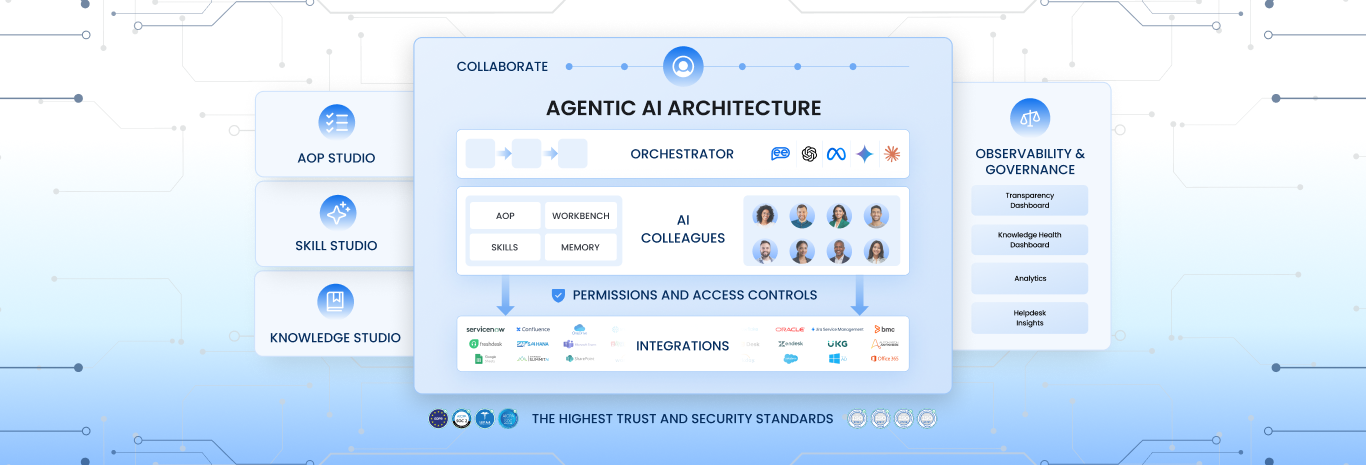
- Observability & Logging: A centralized dashboard that provides a single “Audit Trail” for a process that touches five different platforms.
The Scaling of Automation
This table contrasts how work is managed at different levels of organizational complexity.
|
Feature |
Basic Task Automation |
Intra-System (Single App) |
Inter-System (Cross-Platform) |
|
Scope |
One specific task (e.g., “Extract Data”). |
One software ecosystem (e.g., “Salesforce Workflow”). |
The entire Enterprise Stack (Cloud + On-Prem + SaaS). |
|
Governance |
Localized: Managed by the specific user/bot. |
Departmental: Managed by the app owner (e.g., Sales Ops). |
Enterprise: Centralized oversight by IT or an Automation COE. |
|
Error Handling |
Binary: Success or Failure. |
Limited: Retries within the app. |
Resilient: Fallback paths (e.g., “If API fails, send to human”). |
|
Data Flow |
Point-to-Point. |
Internal database links. |
Complex [Semantic Layer] integration. |
|
Business Impact |
Saves minutes of manual work. |
Optimizes a single department. |
Drives Digital Transformation across the company. |
How It Works (The Multi-System Loop)
Inter-System Orchestration functions as a “Switchboard” for the enterprise:
- Trigger: An event occurs in System A (e.g., A customer signs a contract in DocuSign).
- Instruction: The Orchestration Engine receives the signal and consults the “Blueprint.”
- Coordination:
- It tells System B (ERP) to generate an invoice.
- It tells System C (Warehouse) to reserve inventory.
- It tells System D (AI) to draft a personalized “Welcome” email.
- Verification: The engine waits for a “Success” signal from all three systems.
- Completion: Once all tasks are verified, it updates the “Global State” and notifies the project manager.
Benefits for Enterprise
Strategic analysis for 2026 highlights Inter-System Orchestration as the key to Composable Enterprise agility:
- Breaking Data Silos: It allows companies to move data out of “isolated prisons” and use it wherever it is needed, without manual exporting/importing.
- Legacy Modernization: You can “wrap” an old, 20-year-old database in an orchestration layer, making it work with modern AI and Cloud tools as if it were a brand-new API.
- Regulatory Compliance: By orchestrating the transfer of data, you can enforce security rules (like “Never send PII to the AI model”) automatically across every system.
Frequently Asked Questions
Is this the same as iPaaS?
They are related. iPaaS (Integration Platform as a Service, like Zapier or MuleSoft) provides the pipes (the connections). Orchestration provides the brain (the logic and state management) that tells the water when and where to flow.
Does it replace RPA?
No. RPA is a “worker” that performs a task on a screen. Inter-System Orchestration is the “Manager” that tells the RPA bot when to start and what to do with the result.
What is Service Discovery?
In large orchestration setups, Service Discovery is the system’s ability to automatically find and connect to new applications or microservices as they are added to the network.
Can it handle Human-in-the-Loop?
Yes. A modern orchestrator can pause a workflow across all systems and wait for a human to click “Approve” before continuing the next steps.
What is the biggest challenge?
Dependency Management. If System A is upgraded and its API changes, the orchestration “Blueprint” must be updated, or the entire multi-system workflow could break.
Is it only for Cloud apps?
No. Hybrid orchestration connects modern Cloud apps (like Snowflake) to local, on-premise servers (like a private SQL database) using “Secure Gateways.”
Want To Know More?
Book a Demo