What is AI Workflow Automation?
AI Workflow Automation involves the use of artificial intelligence technologies specifically Agentic AI, Machine Learning, and Natural Language Processing to orchestrate complex business processes end-to-end without constant human oversight.
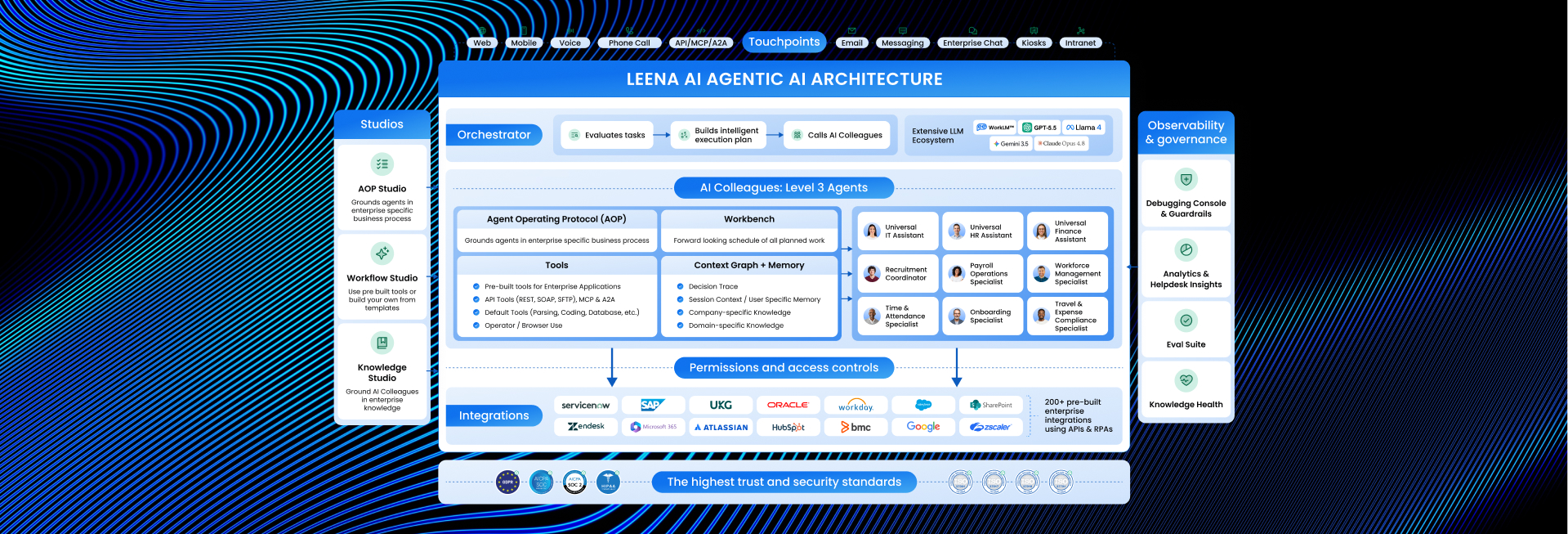
Unlike traditional automation (which follows a rigid, linear script), AI Workflow Automation is dynamic. It can interpret unstructured data (like emails or contracts), make decisions based on context, and adapt its path if exceptions occur. It functions not just as a pair of hands, but as a reasoning engine that moves data and decisions across fragmented systems like ERP, CRM, and HRIS.
Simple Definition: Traditional automation is like a train on a track it moves fast but can only go where the rails are laid. If there is a rock on the track, it stops.
AI Workflow Automation is like a self-driving car. It knows the destination, but it can steer around obstacles, change routes to avoid traffic, and make decisions to ensure it arrives safely.
Key Features
To distinguish true AI Workflow Automation from basic scripting, the system must demonstrate these five capabilities:
- Cognitive Decision Making: The ability to analyze data and make “judgment calls” (e.g., approving an expense report because it aligns with policy, even if the category is slightly mismatched) rather than just flagging errors.
- Unstructured Data Processing: Using Intelligent Document Processing to read and extract data from non-standard formats like PDF invoices, handwritten notes, or email threads.
- Self-Healing Workflows: If a step fails (e.g., an API timeout), the system attempts to retry or find an alternative path before alerting a human.
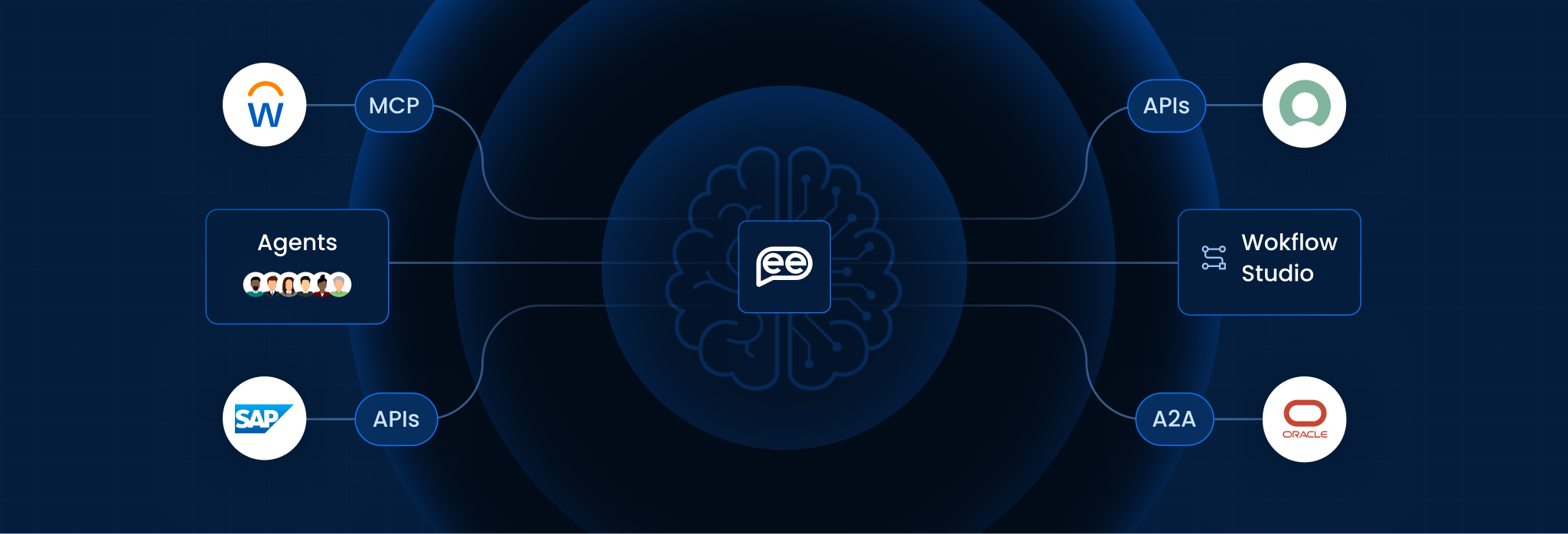
- Cross-System Orchestration: It connects independent platforms (e.g., Workday and Slack) via an API Mesh, acting as the universal translator between them.
- Predictive Optimization: The system analyzes its own performance logs to suggest process improvements, such as identifying bottlenecks in an approval chain.
AI Workflow Automation vs. Traditional Automation (RPA)
The difference lies in Adaptability.
| Feature | Traditional Automation (RPA/BPA) | AI Workflow Automation |
| Logic | Rule-Based: “If X, then Y.” | Probabilistic: “Based on context, Y is the best action.” |
| Data Handling | Structured data only (Excel, Forms). | Unstructured data (Voice, Images, Emails). |
| Exception Handling | Stops and breaks when an error occurs. | Adapts and routes around the exception. |
| Maintenance | High: Breaks whenever UIs change. | Low: Resilient to minor interface changes. |
How It Works (The Execution Loop)
AI Workflows operate in a continuous cycle of sensing and acting:
- Ingestion (The Trigger): The workflow begins not just with a form submit, but from dynamic triggers like an email inquiry, a Slack message, or a database anomaly.
- Contextualization (The Brain): The AI accesses the enterprise [Knowledge Base] to understand the intent. (e.g., “This invoice is from a VIP vendor; expedite payment.”)
- Action (The Hands): Agents execute tasks across multiple systems simultaneously updating the ledger in SAP while notifying the manager in Teams.
- Verification (The Audit): The system validates that the outcome was achieved. If the SAP update failed, it logs the specific error and retries.
Benefits for Enterprise
As reported by Gartner and Forrester in 2026 strategic trends, shifting to autonomous workflows drives significant value:
- Operational Velocity: Processes that took days (like employee onboarding) are reduced to minutes by removing manual “swivel-chair” data entry.
- Cost Reduction: Lowers the Total Cost of Ownership (TCO) for business operations by automating complex Tier-1 and Tier-2 tasks.
Shadow IT Governance: Provides a centralized, governed layer for automation, preventing business units from building unmonitored scripts
Frequently Asked Questions
Is AI Workflow Automation the same as Hyperautomation?
They are related but distinct. Hyperautomation is the strategy of automating everything possible. AI Workflow Automation is the technology (the engine) used to execute that strategy for complex, decision-heavy processes.
How secure is it to let AI make decisions?
Enterprise platforms use “Human-in-the-Loop” protocols. For high-stakes decisions (like financial transfers over $10k), the AI pauses and requests human approval. It never acts unilaterally on critical risk items.
Does it require replacing our current software (ERP/CRM)?
No. It acts as an Orchestration Layer on top of your existing stack. It connects to your legacy systems (via API or RPA) without requiring a “rip and replace” migration.
Can it handle messy or incomplete data?
Yes. This is a primary advantage over traditional automation. Using Large Language Models (LLMs), it can infer missing information or ask the user clarifying questions to “clean” the data before processing it.
What is the ROI timeline?
Most enterprises see ROI within 6–9 months. The initial setup requires training the models on your specific workflows, but the subsequent savings in labor hours and error reduction compound quickly.
Who owns these workflows: IT or Business Units?
Ideally, it is a partnership. IT owns the Governance and security guardrails, while Business Units use “No-Code” builders to design the specific process logic, democratizing innovation without creating risk
Want To Know More?
Book a Demo