What are Autonomous Workflows?
Autonomous Workflows are self-governing business processes that use [Agentic AI] to initiate, execute, and complete end-to-end tasks without human intervention.
Unlike traditional automated workflows (which follow a static “if-this-then-that” script), autonomous workflows are adaptive. They can perceive changes in their environment, make logic-based decisions to overcome obstacles, and dynamically adjust their path to achieve a business goal whether that’s routing a complex customer support ticket or rebalancing a supply chain.
Simple Definition: Traditional automation is like a dishwasher it follows a strict cycle (wash, rinse, dry) and stops if something breaks.
Autonomous Workflows are like a professional chef. They know the goal (make dinner), but they can adapt the recipe if an ingredient is missing, turn down the heat if the pan gets too hot, and taste-test the food to ensure it’s perfect.
Key Features
To be considered “Autonomous” rather than just “Automated,” a workflow must possess these five capabilities:
- Self-Triggering: It doesn’t just wait for a form submission; it can trigger itself based on data anomalies (e.g., “Inventory is predicted to run out in 3 days; initiate re-order”).
- Adaptive Reasoning: It uses [Large Language Models] to interpret unstructured data (emails, Slack messages) and make judgment calls that previously required a human.
- Exception Handling: If a step fails (e.g., an API is down), it can try an alternative method or “work around” the problem rather than crashing.
- Continuous Learning: The workflow analyzes its own performance history to optimize execution paths, becoming faster and more accurate over time.
- Human-in-the-Loop Protocol: It knows its own limits. For high-risk decisions (like approving a $50k invoice), it automatically pauses and requests human sign-off.
Autonomous Workflows vs. Automated Workflows
The difference lies in Rigidity vs. Agility.
| Feature | Automated Workflow (Traditional) | Autonomous Workflow (AI-Driven) |
| Structure | Linear: Step A $rightarrow$ Step B $rightarrow$ Step C. | Dynamic: Step A $rightarrow$ Decision $rightarrow$ Step F or C. |
| Logic | Rule-Based: Hard-coded “If/Then” logic. | Goal-Based: “Achieve X outcome by any means.” |
| Data Type | Structured Data (Forms, Database rows). | Unstructured Data (Images, Voice, Text). |
| Maintenance | High: Breaks if the UI or API changes. | Low: Adapts to minor system changes. |
How It Works (The Autonomy Loop)
Autonomous Workflows operate using a four-step cognitive cycle, often visualized as an OODA Loop (Observe, Orient, Decide, Act):
- Perception (Observe): The workflow ingests real-time signals from the enterprise ecosystem emails, [IoT Sensors], or market data.
- Reasoning (Orient): The AI Agent analyzes the context. It understands that “Urgent” from the CEO means something different than “Urgent” from a vendor.
- Planning (Decide): It formulates a dynamic plan. If the primary vendor is out of stock, it decides to check the secondary vendor instantly.
- Execution (Act): It uses an [API Mesh] to perform the action updating the ERP, sending the email, and logging the audit trail simultaneously.
Benefits for Enterprise
Strategic forecasts from Gartner and Forrester highlight three primary drivers for adoption in 2026:
- Zero-Touch Operations: Achieving “Lights Out” processing for back-office functions like payroll reconciliation and accounts payable.
- Latency Elimination: Removing the “wait time” between human hand-offs. Processes that took days (due to email tag) are finished in seconds.
Resilience: Autonomous systems don’t just run; they fix themselves. This reduces IT support tickets related to broken automation scripts by up to 40%.
Frequently Asked Questions
Are Autonomous Workflows safe for regulated industries?
Yes. Leading enterprise platforms include “Constitutional AI” guardrails that prevent the system from violating compliance rules (like GDPR or HIPAA), ensuring every decision is auditable and legal.
Can they work with my legacy Mainframe/ERP?
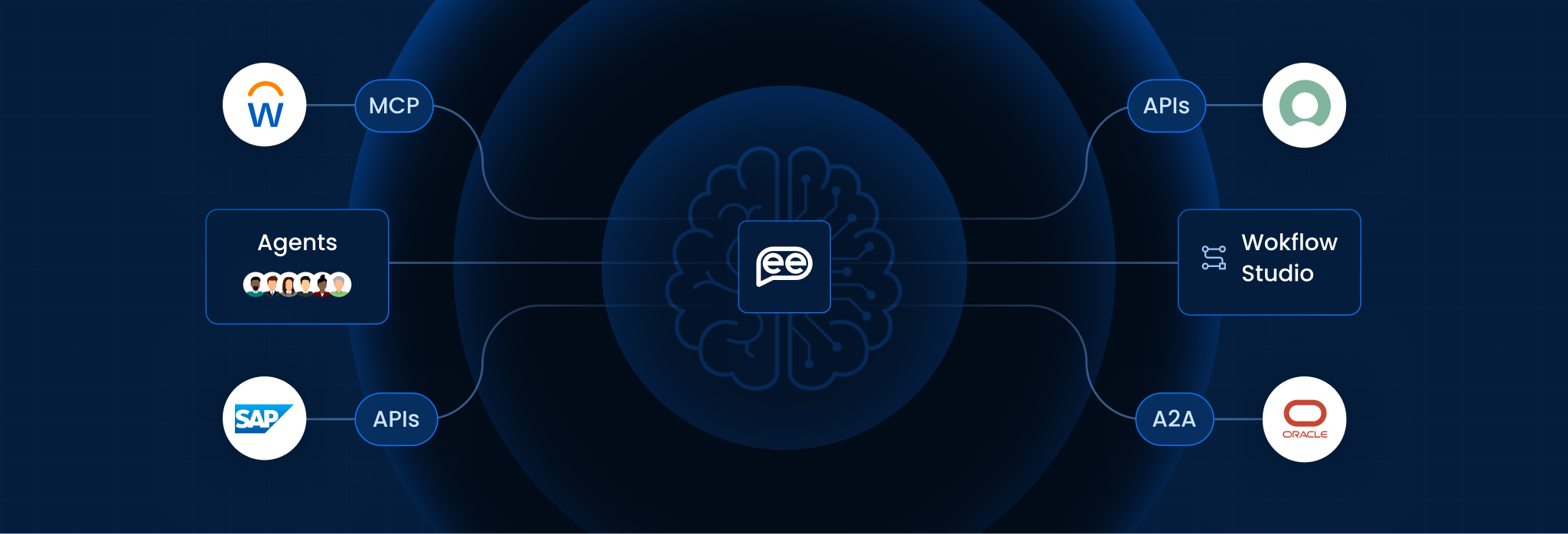
Yes. Autonomous Workflows act as an Orchestration Layer. They can use RPA bots to interact with legacy “green screens” while using APIs to talk to modern SaaS apps, bridging the gap between old and new
Do I need a Data Scientist to build them?
No. Modern platforms utilize Natural Language Processing (NLP). Business users can build workflows by simply typing instructions (e.g., “When a high-priority ticket arrives, route it to the on-call engineer”).
What happens if the AI makes a mistake?
The system is designed with “Confidence Thresholds.” If the AI is less than 99% sure of a decision, it defaults to a human reviewer. It also maintains a full “Undo” log to revert actions if needed.
How does this impact the workforce?
It shifts employees from “Data Movers” to “Exception Handlers.” Instead of manually copying data for 8 hours, employees spend their day solving complex, creative problems that the AI flagged.
Is this the same as Hyperautomation?
Hyperautomation is the strategy (the “What”). Autonomous Workflows are the mechanism (the “How”). They are the engine that makes Hyperautomation possible by connecting disparate tools into a fluid system.
Want To Know More?
Book a Demo